Ahhhh. The interesting tedious task of calculating dates. Delegate to staff and hope they get it right and you don’t blow a statute/deadline? Or, get out a big desk pad calendar and hold your thumb on the starting date counting backwards, then forwards, and forgetting where you started when the phone rings? Here’s a round up of calculators to help make it a bit easier on you or your staff.
On the iPad/iPhone
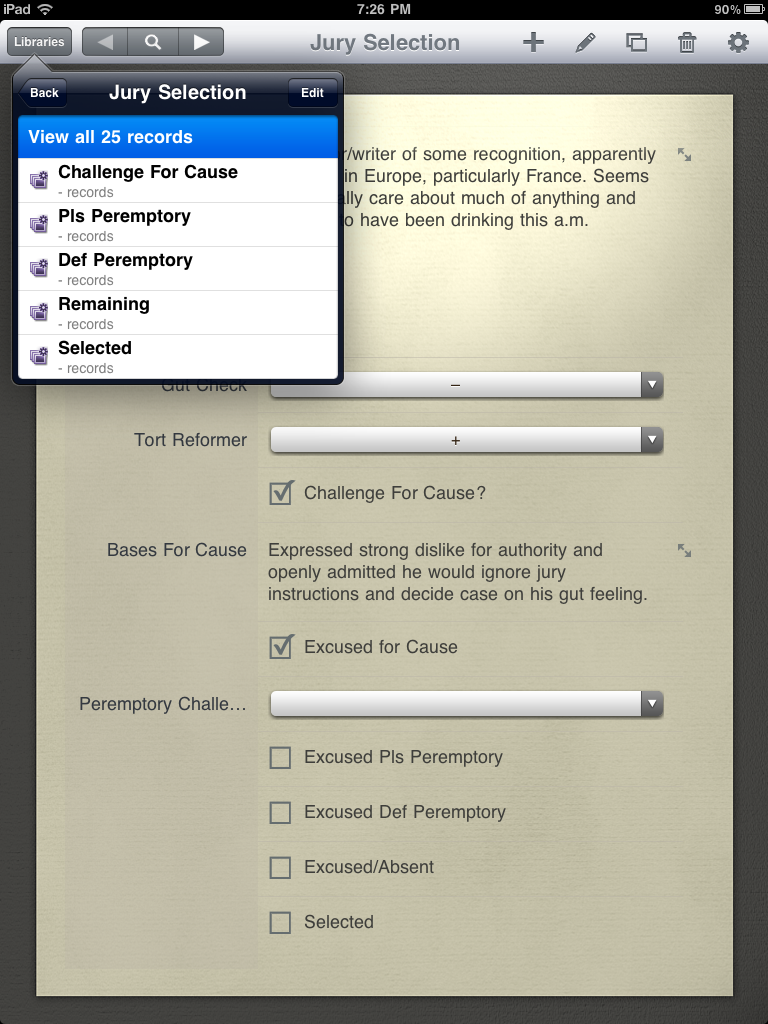
Court Days Pro ($2.99) is a ‘legal specific’ date calculator that allows you to ‘build’ a set of dates. Dates can be added/subtracted as court days or calendar days and long dependent chains can be built from a single trigger event. If the calculated date falls on a weekend or recognized holiday, the calculation can bump the date forward or backward to the next closest court date. Court Days Pro is handy for creating dates which are usually static and triggered by a single event, such as discovery schedules, time to answer, days until the statute of limitations runs etc. Once calculated, the dates can be exported directly to the built in Calendar app or emailed. You could also check out Court Days (.99¢) made by the same folks, iPhone/iTouch only and fewer features. Both Court Days and Court Days Pro allow adding custom state recognized legal holidays. The reviews for this app on iTunes are somewhat negative. It appears from the negative reviews that people are having difficulty with navigation and input because none of the complaints make much sense if you spend a little time understanding how the app works. Recommend ignoring the iTunes reviews and playing around with the app for a little bit before you give up.
Date Ranger (Free). Date Ranger is really simple on the surface. Two boxes, two dates and you’re off and running. Here’s the neat trick: once you have a date calculated, you can ‘swipe’ that date onto the other box. This makes calculating dependent sequential dates a breeze.
HiCalc HD (Free) offers a variety of handy calculators, including a basic date calculator. It presents the dates in dd/mm/yyyy format which can be a bit confusing. HiCalc also displays the day of the week which will keep you, at least, from calendaring something to occur on the weekend but may result in you calendaring on a legal holiday.
Lastly, DateInterval (free) provides a bare bones, knuckle dragging friendly count days forward from a date or the difference between two dates.
On the Mac
Several free options exist for calculating dates on the Mac. First up is Date Calculator, a somewhat dated (2005?!?!) widget available here. The widget allows addition, subtraction and difference calculations for dates. FreeLawTools offers an online calculator that uses either court or calendar dates for the calculation, and will also exclude legal holidays/weekends from the result by shifting the day forward or backward as you desire. Finally, WolframAlpha. If you don’t already know, WolframAlpha “is an online service that answers factual queries directly by computing the answer from structured data.” So, of course, it can calculate dates.
Wolfram Lawyer’s Assistant (Reference App)
Speaking of WolframAlpha, they have just released for the iPad Wolfram Lawyer’s Professional Assistant ($4.99). The app offers up a unique set of reference tools for lawyers including, among other things, a Legal Dictionary, a quick reference for Statutes of Limitations for all 50 states, blood alcohol calculator, IP Address Lookup, historical weather, damages/estate planning/real estate calculators and statistical information.
The date calculator can calculate business (i.e. court) or calendar days between two dates or forward from a specified date. But, if you want to count backwards… sorry, despite the fact that this App is provided by the world’s most famous online calculation machine, WolframAlpha, it can’t count backwards. Counting to a huge number of decimal places Pi? Check. Counting backwards on your iPad. Meh, not so much.
Wolfram Lawyer’s Professional Assistant also fails in the Statute of Limitations area. For the Utah Statutes of Limitation periods, it lists a 1 year SOL for “medical malpractice actions based on insertion of a foreign object.” Not. Quite. Right. The Lawyer’s Assistant is also a little rough around the edges in terms of user interface. Finally, the thing throws advertising for other Wolfram apps at you in the bottom corner of the home screen. Considering it is a paid app, advertising (even for your own wares) is a major no-no. Final thoughts: wait for the next revisions or corrections to the current version before purchase unless you really need one of the math calculators.
Looking back at this collection it becomes obvious that the paradigm is shifting toward the iPad/iOS for ‘new’ or ‘innovative’ development. The best date calculator to be found is Court Days Pro, on the iPad. A date calculator widget for Mac OSX hasn’t been updated in six years and Wolfram just cranked out an iPad specific app, but provides nothing on desktop for legal reference. Interesting.
Update:Â
Fresh from the mind of David Sparks (MacSparky), Siri can also calculate dates (and probably add them to your Calendar too).
Try this.
Siri …
“What is 30 days plus December 7”
“How many days are between November 1, 2011 and December 7, 2011”
Thanks David… just when I had finally resolved to wait for the iPhone 5.


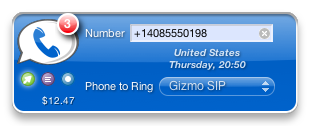 . A huge plus to dialing using your GV number is that people will use it to call you back when looking at their caller I.D. Â However, dialing from that number is cumbersome, requiring you to log in to your google account, go to the GV web page, and then dial out. GV Connect does all this, right from your dashboard, lets you choose which of your registered phones the call will connect with and, perhaps most importantly, integrates with your OS X address book. Oh, and you can also SMS directly from the widget. While this doesn’t take the bitter out of your mouth at the loss of an iPhone app for GV, it’s at least a little sugar to make it more bearable.


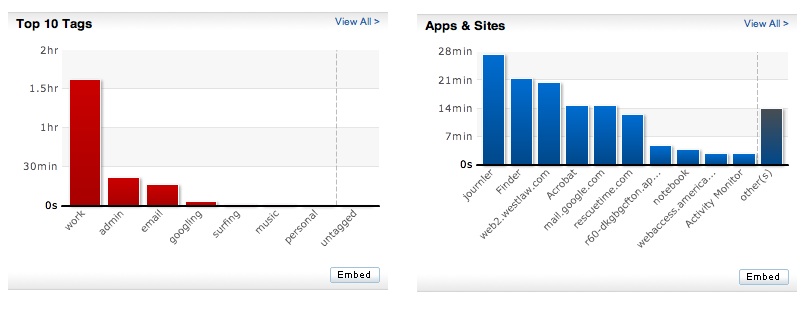 In the few short days in use here at MacLitigator, the results were astounding and will certainly alter workflow, focus and hopefully squash the incessant and heretofore unrealized need to repeatedly check email. Perhaps the best recommended method for using this software is to install and then forget about it for a few days. After 2-3 days, come back and you will see exactly where your weaknesses lie, and can then implement a plan to address those weaknesses. An added bonus for all you billable hour monkeys, you can go back and recreate information for timesheets.